
Publish to the web or an LMS
Choose between an HTML export and a SCORM package, then test the learner output.
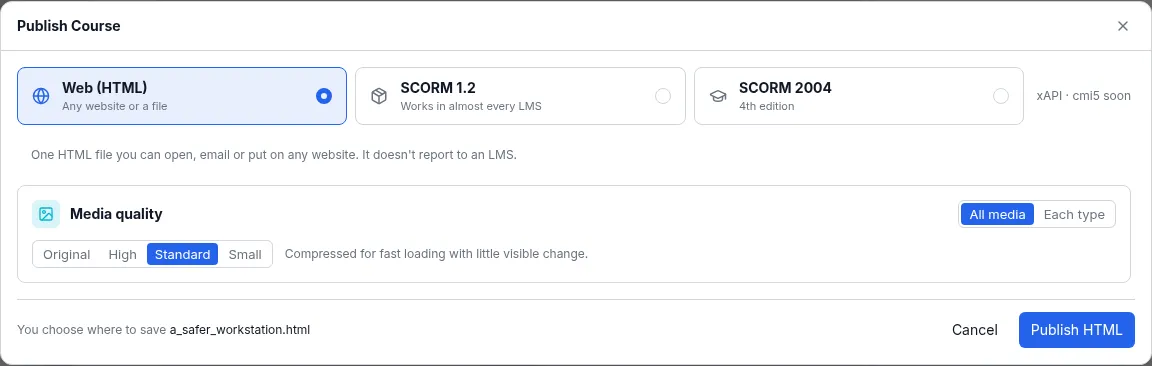
Publish for the web
- Choose File → Publish… and select Web (HTML).
- Choose Publish HTML. Pick a destination if asked, or find the output in your downloads.
- Open the HTML file in a browser and test the course. If Arc creates a ZIP because the course uses Web Objects, extract the whole folder to a web server and open the course from that location.
Publish for a learning management system
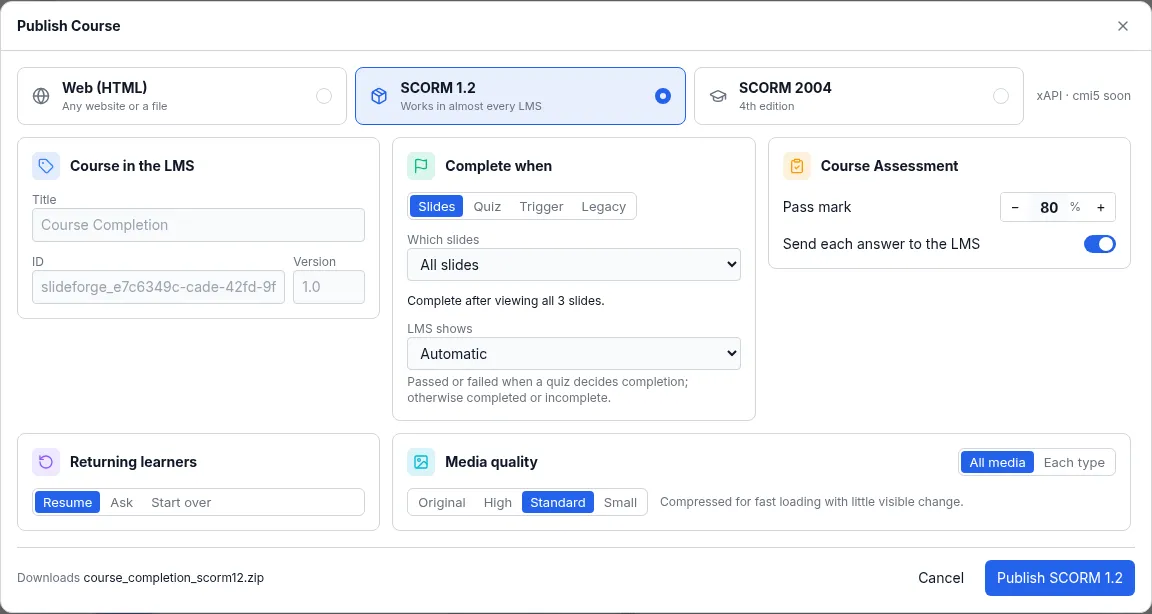
- In File → Publish…, choose SCORM 1.2 or SCORM 2004 according to what your learning management system (LMS) supports.
- Review the course information and completion settings shown for that format. Select Publish SCORM 1.2 or Publish SCORM 2004.
- Upload the ZIP as a SCORM package in a test area in your LMS. Launch it as a learner. Check that the slides and interactions work, then confirm the expected completion, score, and resume behavior in the LMS.
Keep the editable .arivvo project so you can make changes and publish again. For a hands-on example, follow Track course completion.